Workflow Lite
Connect steps into a flow on a canvas and let the model run it by plan.
Sequences, parallel steps, conditional branches and loops.
dsh plugin --profile web add @xiaoso/dsh-workflow-liteInstall command for the web version; for the desktop app see Install.

How it works
There is no extra execution engine: scheduling and judgement are done by the model in the current session.
- Design
Connect steps on the canvas and write the prompts.
- Compile
The plugin turns it into a plan.
- Run
The model runs the plan and progress syncs back to the canvas.
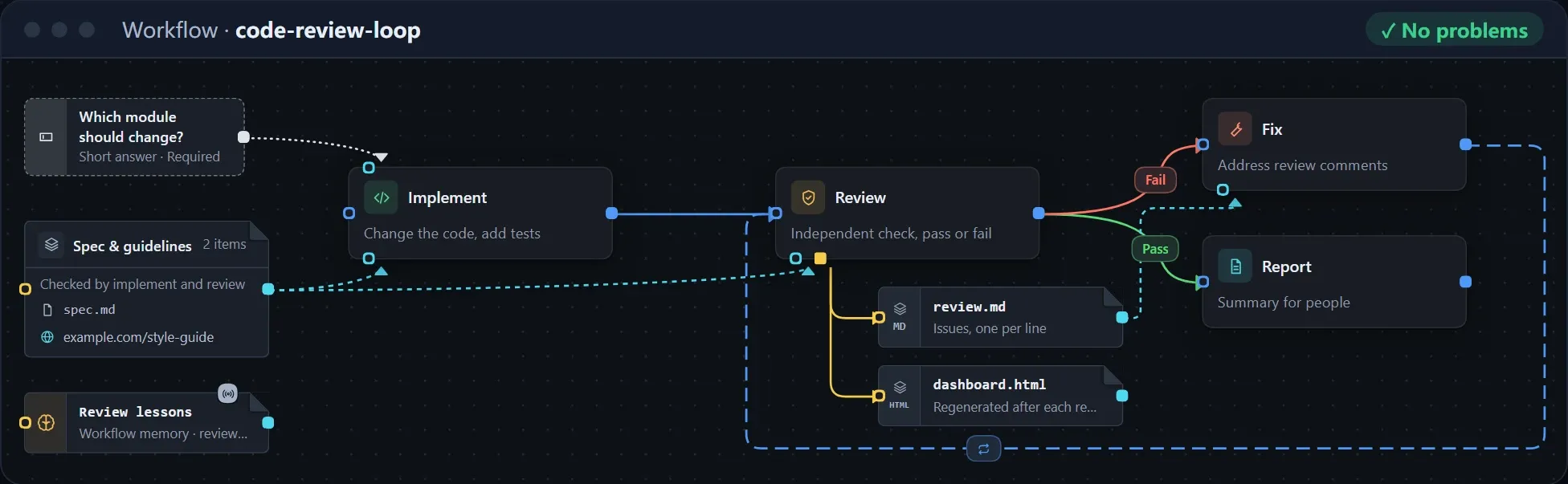
Design flows on the canvas
Drag steps, connect them, and describe the flow with conditional branches and loops.
- Give a step the files, URLs or skills to read and write
- Ask the user for information before running
- Tidy up the layout in one click
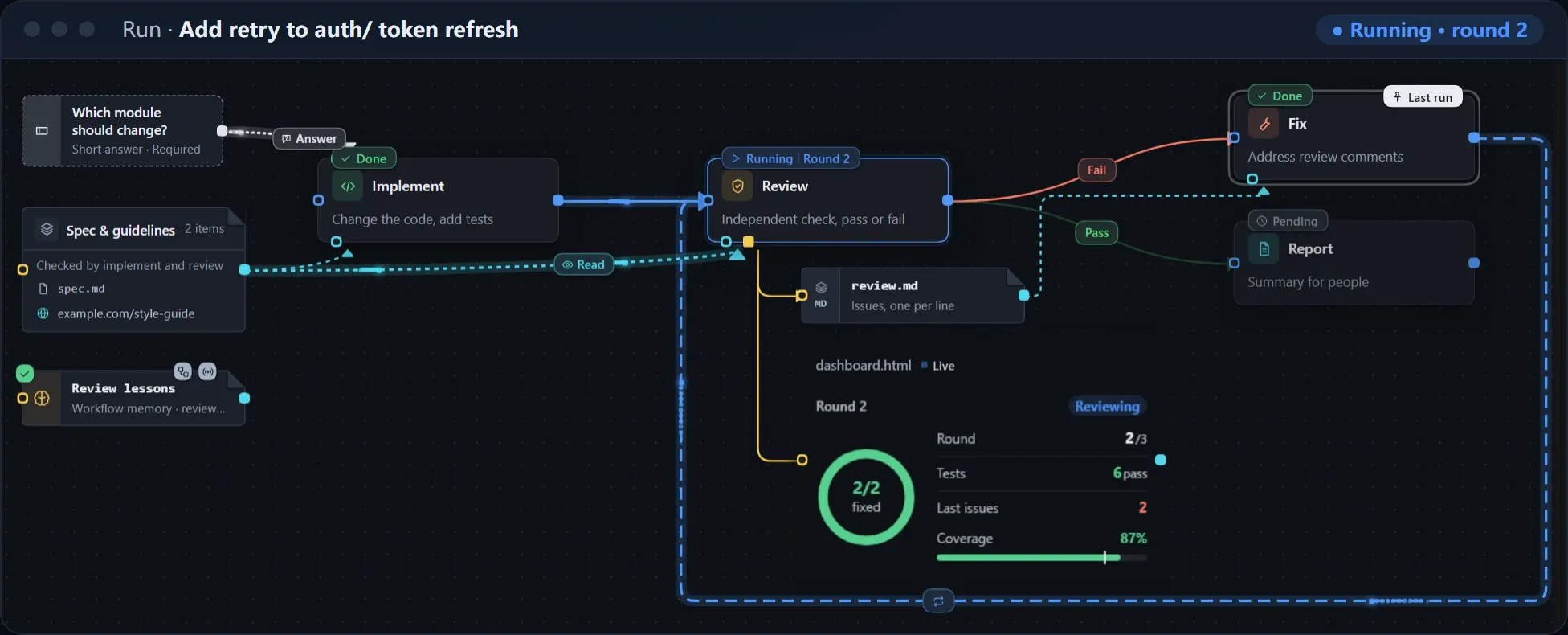
Follow progress live
With Record run state on, the canvas updates as the run progresses; canvas display is experimental for now.
- Status and round of every step at a glance
- Web pages, images, logs and tables shown right on the canvas
- Look back at and compare each round of a loop
More features
Edit with the model
Create or change a workflow with one sentence.
Versions
Save, compare and switch at any time.
Import and export
Pack files and skills into one package.
Export as a skill
Works without the plugin.
Workflow memory
Write down what worked. Experimental.
Light and dark themes
Four color themes each.
Experimental: later releases may include breaking changes; see the changelog.