Create your first workflow
Ask the model to create a workflow in one sentence, or edit it by hand on the canvas, then run it.
A workflow is made of steps and connections. A step says what to do; connections decide the order and can carry conditions, which is how branches and loops are expressed.
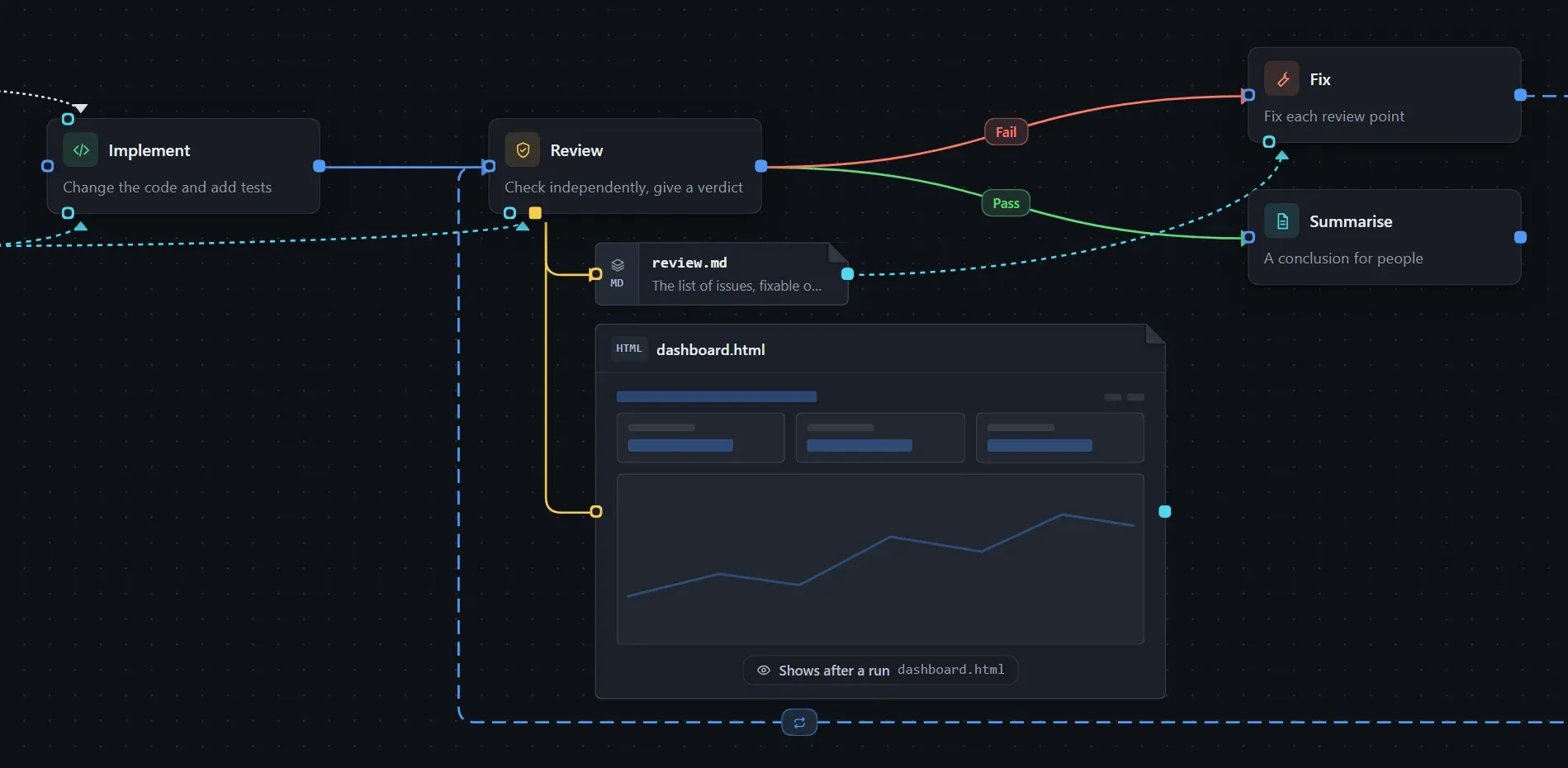
Let the model create it
Section titled “Let the model create it”Describe the flow in the conversation, for example:
Create a workflow: write the code, then review it; if the review fails, go back and fix it, at most three rounds.
It appears on the canvas at the same time. When the flow has a loop with metrics each round, the model also adds a dashboard shown right on the canvas; see Check each round’s output on a dashboard. Once it looks right, click Run at the top right.
Edit by hand
Section titled “Edit by hand”- Open the Workflows tab and create a new workflow.
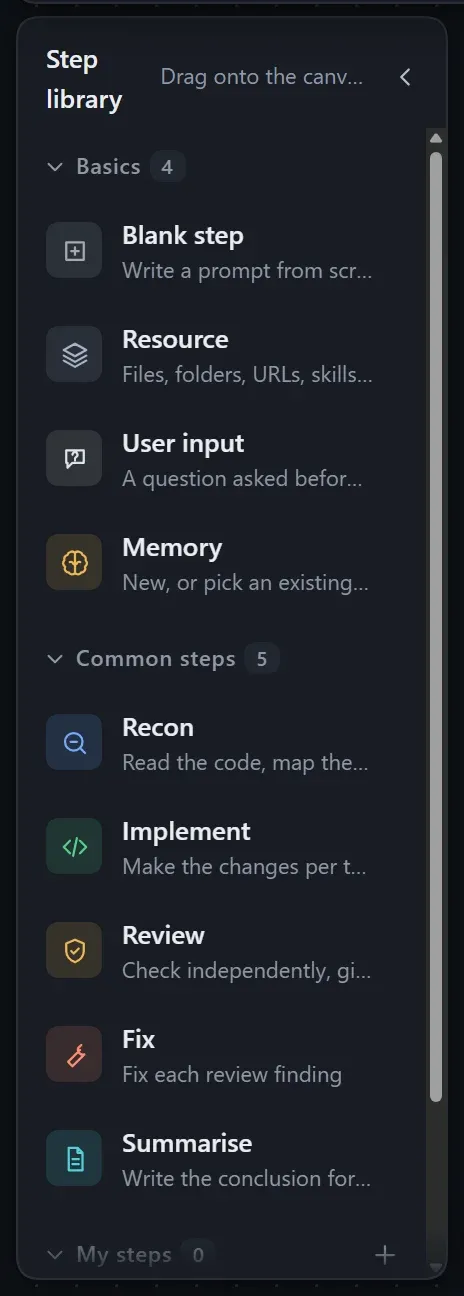
- Drag steps from the step library on the left onto the canvas, fill in the prompts, and join them with connections.
- Click Run.
Follow the progress
Section titled “Follow the progress”Turn on Record run state in Workflow settings. Every run then creates an instance, and the canvas updates as it progresses.
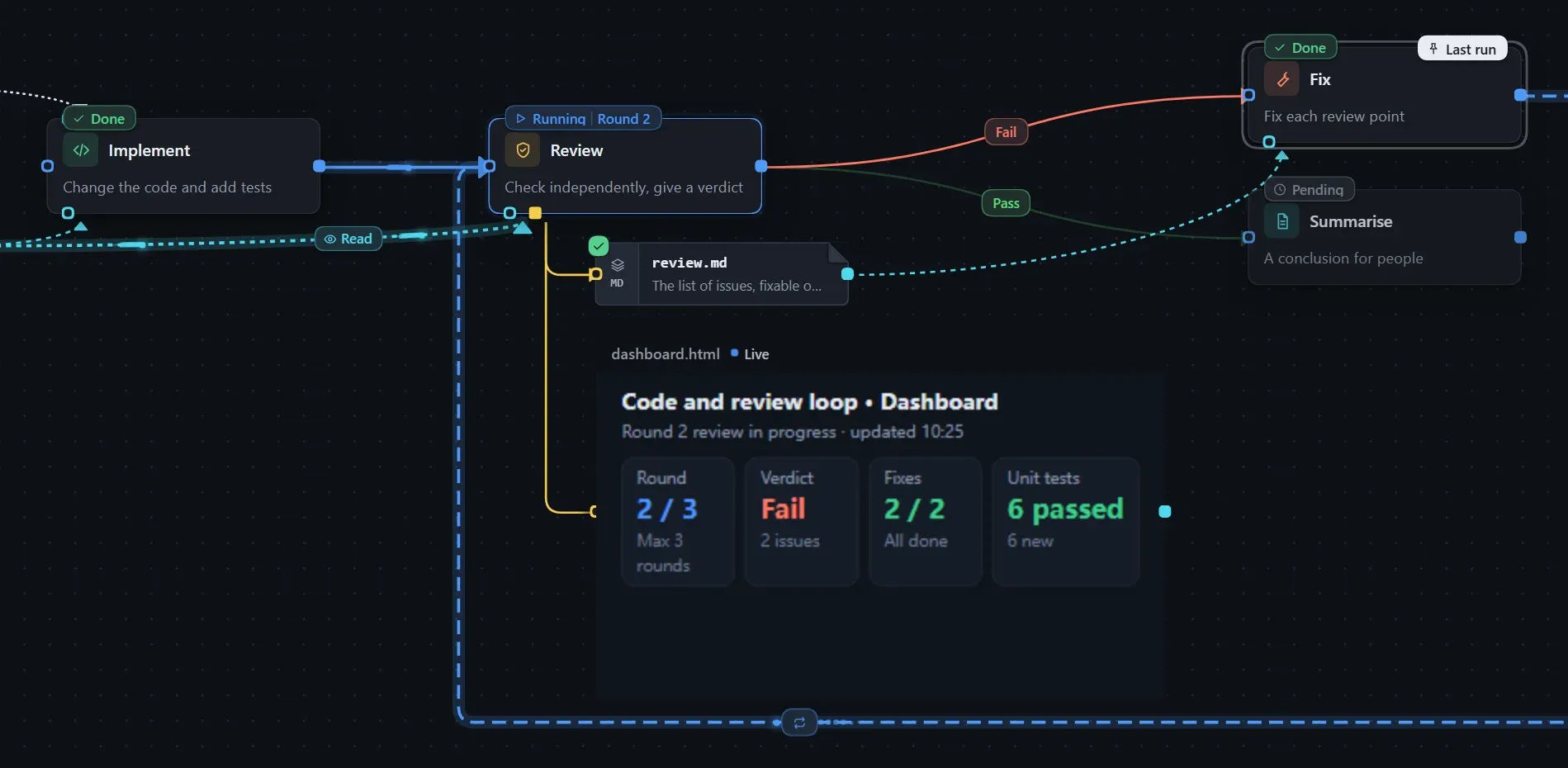
See Workflow settings for details.