Logs and plain text
Logs follow new content as it arrives; show only matching lines by text or regular expression, and stay smooth even with hundreds of MB.
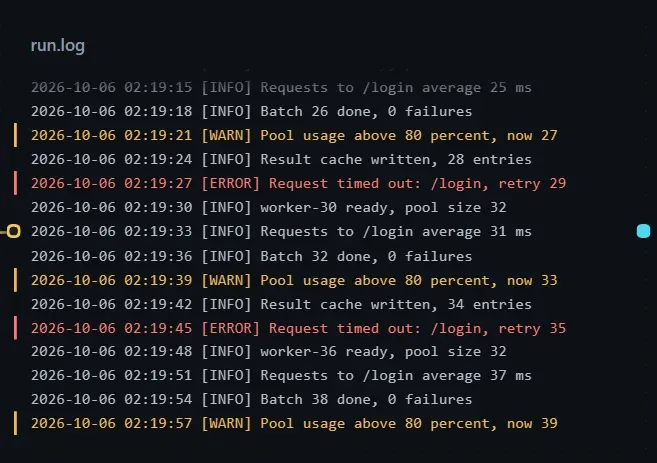
While a step that writes a log is running, the card stays at the end and follows new content, with Live next to the title. For big files only the few hundred visible lines are read, and an update reads only what was added.
Display
Section titled “Display”- Lines wrap with a hanging indent; code, config and tables do not wrap.
- Scrolling up is never pulled back, and Back to latest appears at the bottom with a count of new lines.
- Error lines are red and warning lines amber (turn this off with Color errors & warnings).
- Under Position, choose Auto (logs and very large files stay at the end, others start from the top), End or Start.
- With Have the model fit the card on, the step writing the log puts one entry per line, each with a time and a level.
Only show
Section titled “Only show”Use Only show in Canvas display settings to display only matching lines; the number of matching lines appears next to the title.
| Option | Description |
|---|---|
| Text to find | Only lines containing it are shown. |
| Regular expression | Treats the input as a regular expression, and says why if it is invalid. |
| Match case | Off by default. |
| Invert | Show only the lines that do not match. |
| Context | Keep 0–10 lines before and after each match; type something to filter first. |
| Presets | Errors, Warnings and errors. |
Matching searches back from the end, up to the last 64 MB.
Viewer
Section titled “Viewer”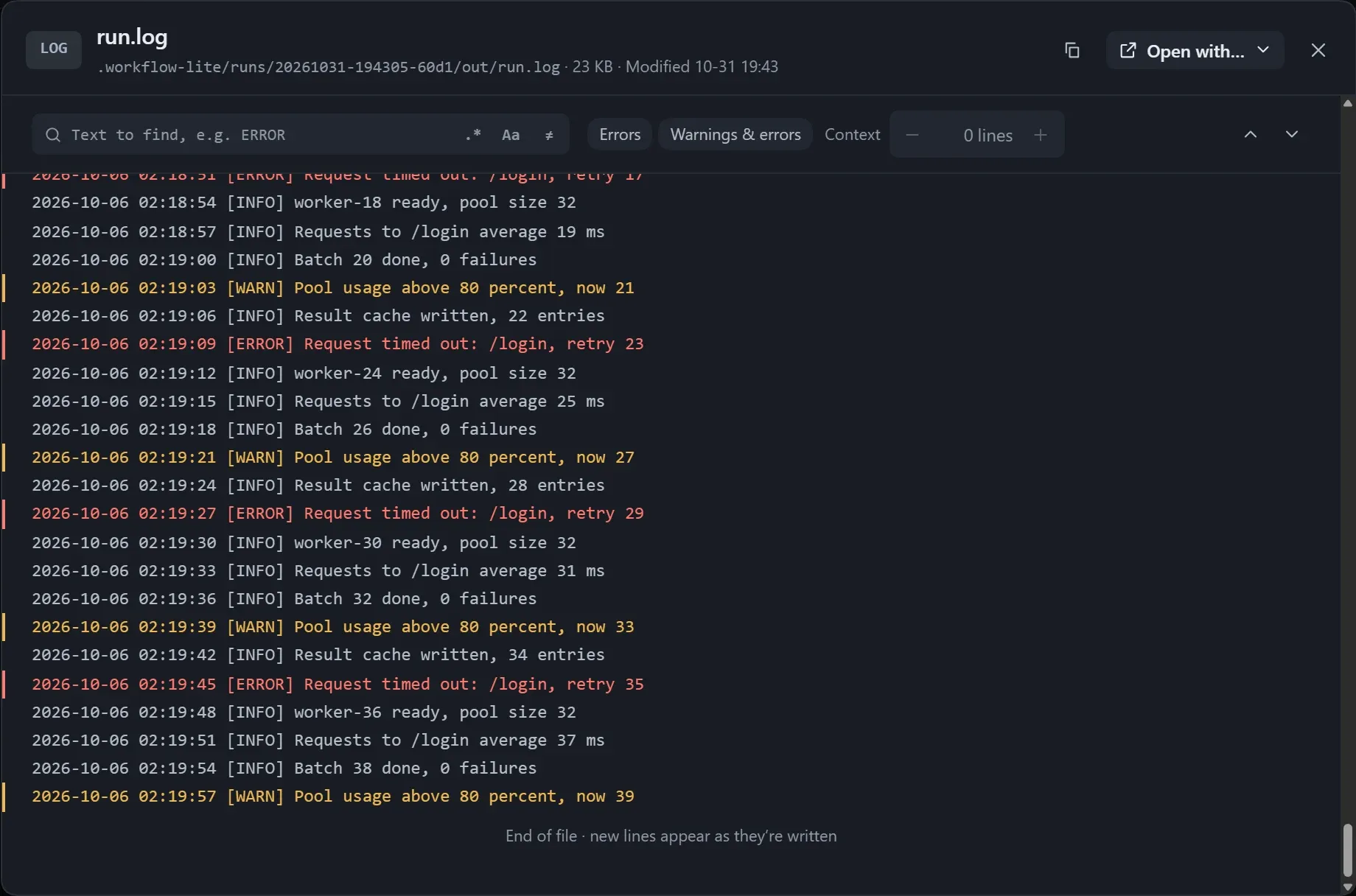
- It keeps the filter set on the card; click a line to clear the filter and jump to that line in the full text.
- Press Ctrl+F to edit the filter directly.
- Scrolling to the edge keeps reading automatically, and logs of hundreds of MB stay smooth.