Workflow hub
Manage execution records of all sessions, all workflows, memories, storage and plugin settings in one place.
Open the Workflow hub at the top left of the canvas to manage the instances of every session, all workflows and versions, the memory library, local data and settings.
| Page | Use |
|---|---|
| Instances | See all instances by workspace. |
| Workflows | Manage workflows and versions, export and import. |
| Memory | Manage the memory library; see Memory. |
| Storage | See local data usage and clean up. |
| Settings | Appearance and themes, plugin settings. |
Instances
Section titled “Instances”Workspaces are on the left and their instances on the right; the search box at the top searches across workspaces by workflow, session and goal. The current workspace comes first.
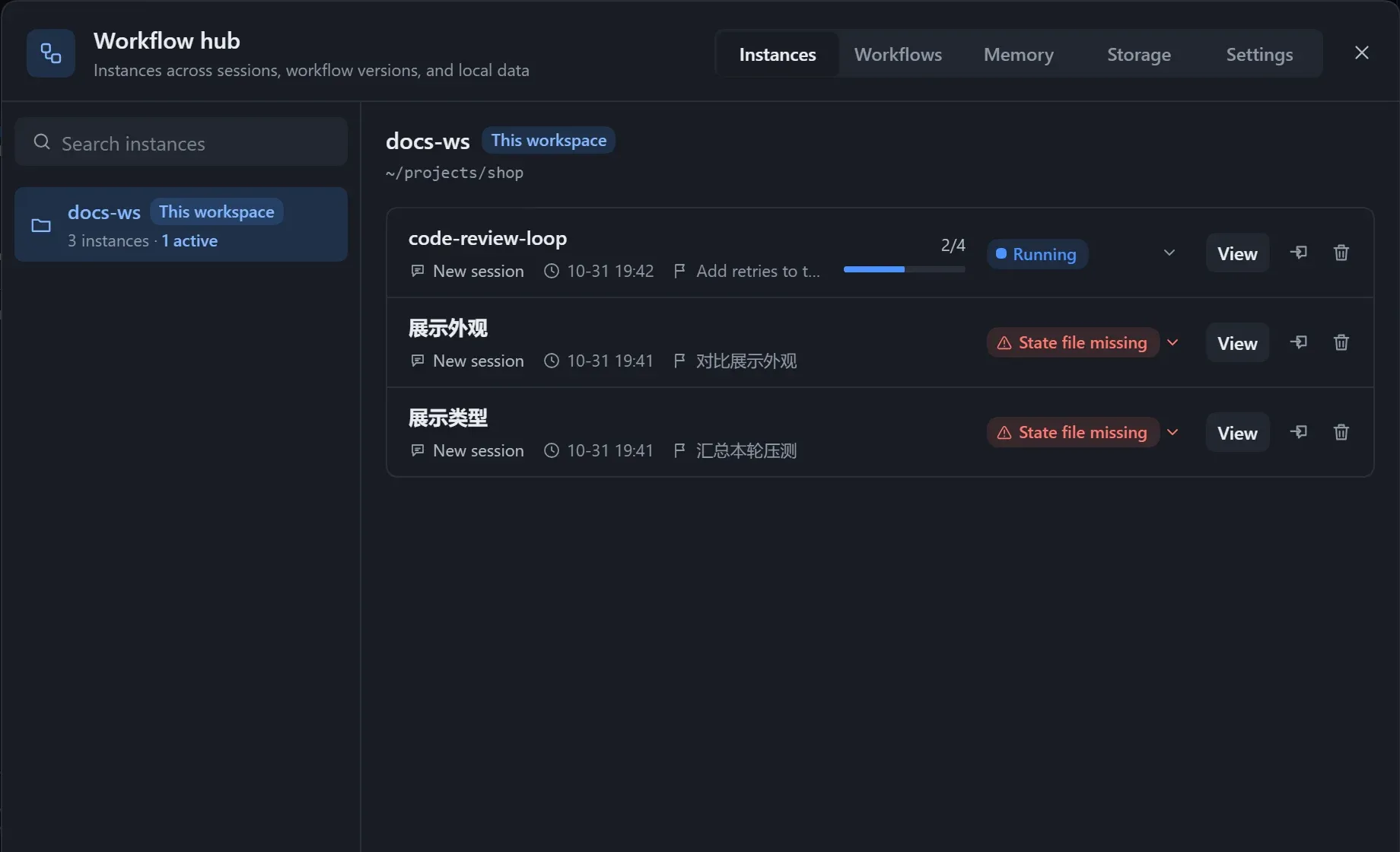
| Action | Description |
|---|---|
| View | Opens the instance. |
| Change overall status | Click the status label and confirm; steps are untouched. You can turn on Notify model and add a note. |
| Move here | An instance belongs to one session only. |
| Delete | Deletes the record and the graph snapshot, and optionally the state file in the workspace. |
For an instance whose state file has a problem, click Show why.
Workflows
Section titled “Workflows”The workflow list is on the left, and versions, export and import are on the right. You can search, open, rename, or delete a workflow (its versions go with it, and this cannot be undone).
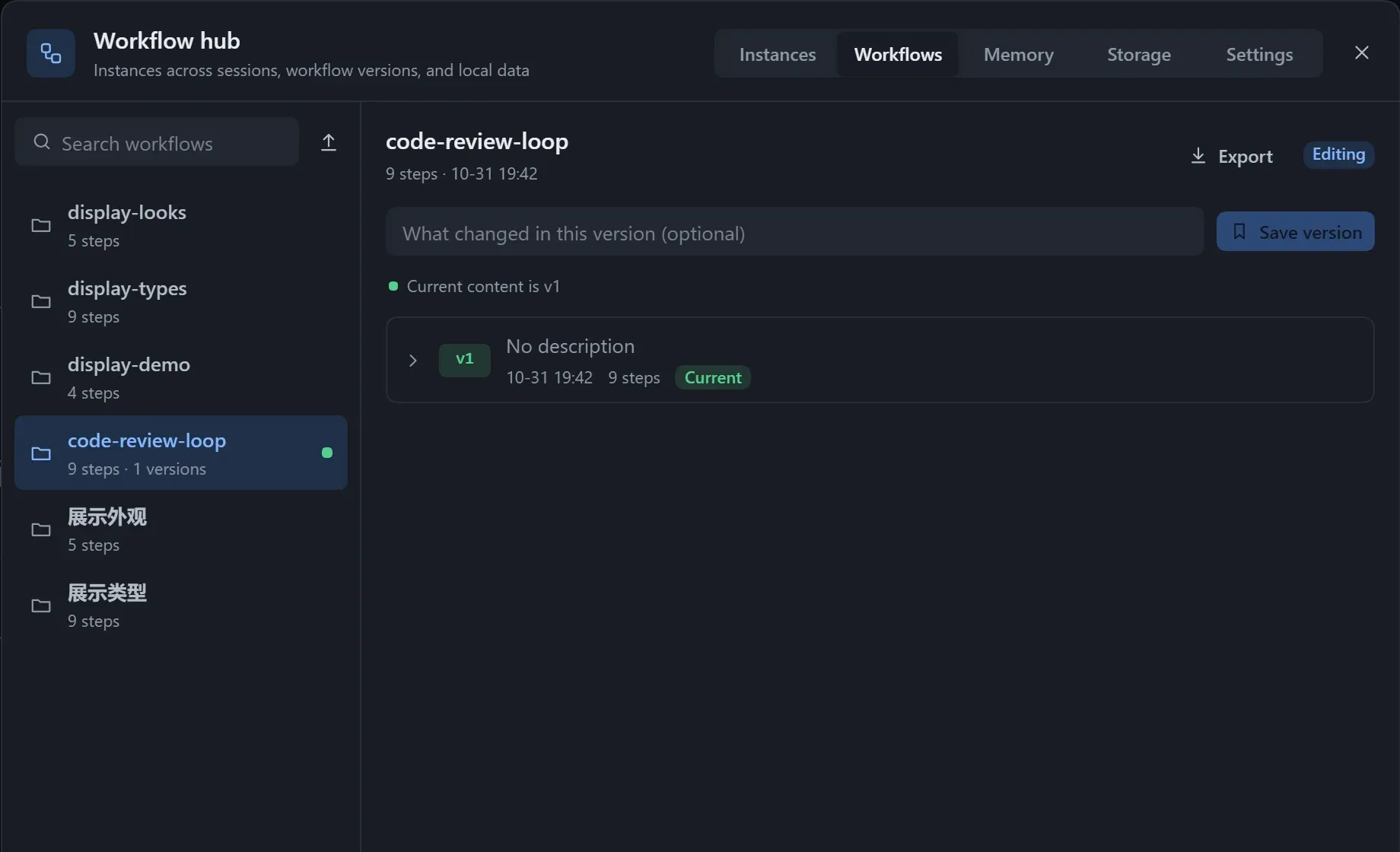
For versions see Versions; for export and import see Import and export.
Storage
Section titled “Storage”Shows the data folder (with Copy path) and the space used by each kind of data.
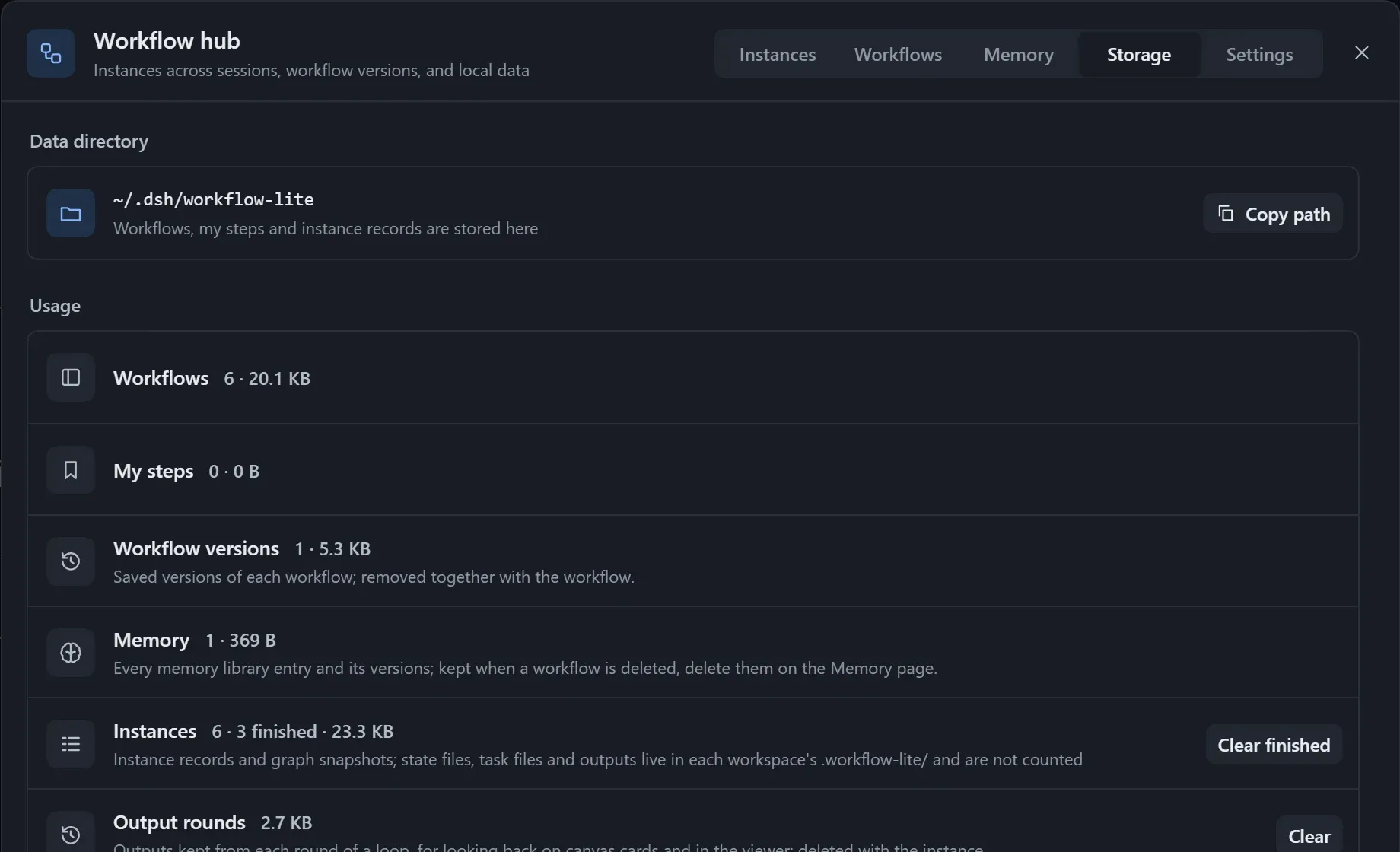
| Action | Effect |
|---|---|
| Clear finished | Deletes records and snapshots of done and cancelled instances; state files stay. |
| Clear per-round versions | Deletes older versions; the current output files stay. |
| Delete leftover files of old versions | Task files left by earlier versions that are no longer used; safe to delete. |
Deleting a workflow does not delete its memories; delete them on the Memory page.
Settings
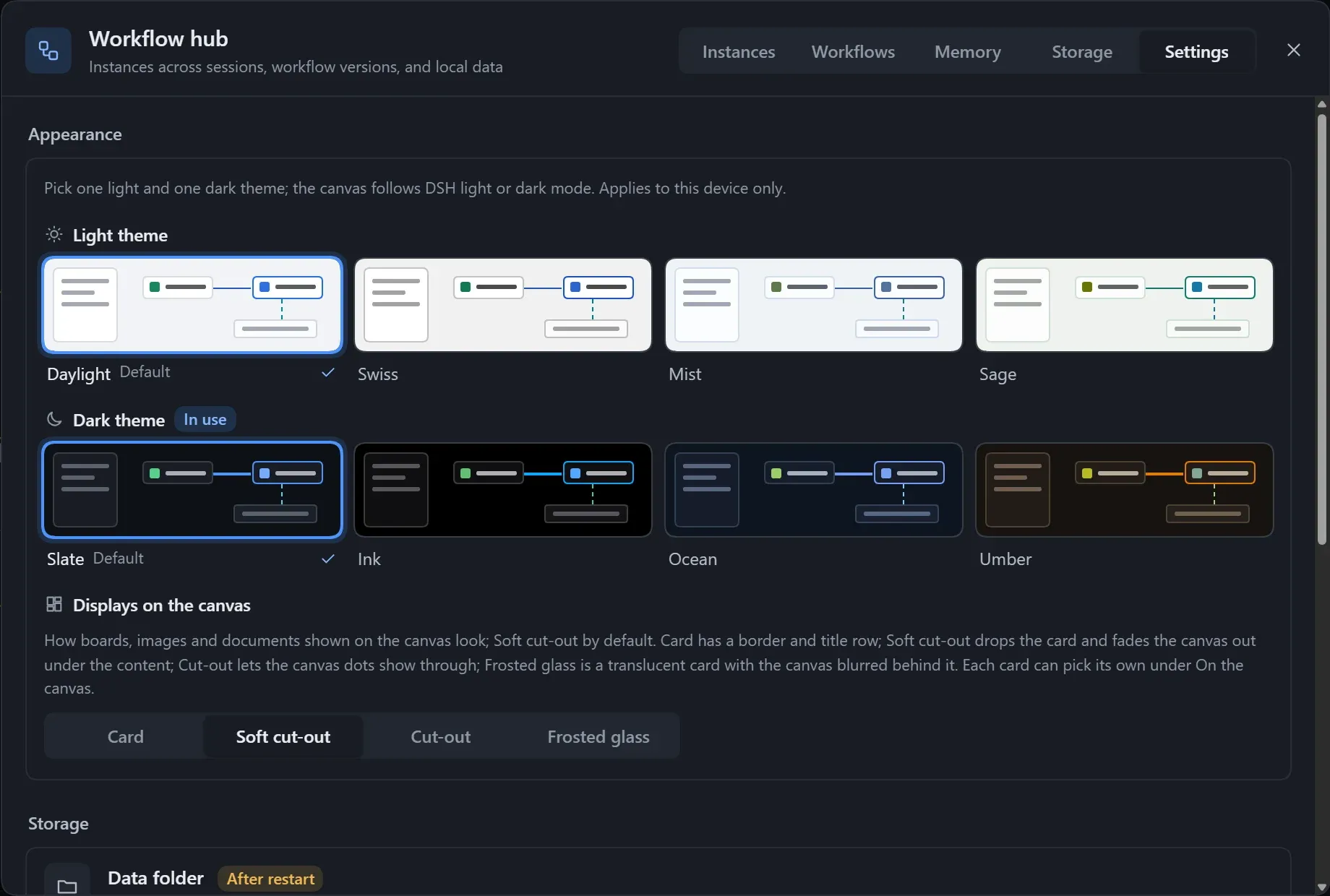
Section titled “Settings”The top part is appearance and themes, and the bottom part is plugin settings.
- An instance with no recorded workspace shows “No workspace recorded”, and one whose session no longer exists shows “Session no longer exists”.
- If there are no instances yet, clicking Run on the canvas creates one.