Questions before running
Collect information from the user before running; the answers go to the relevant steps along with the plan.
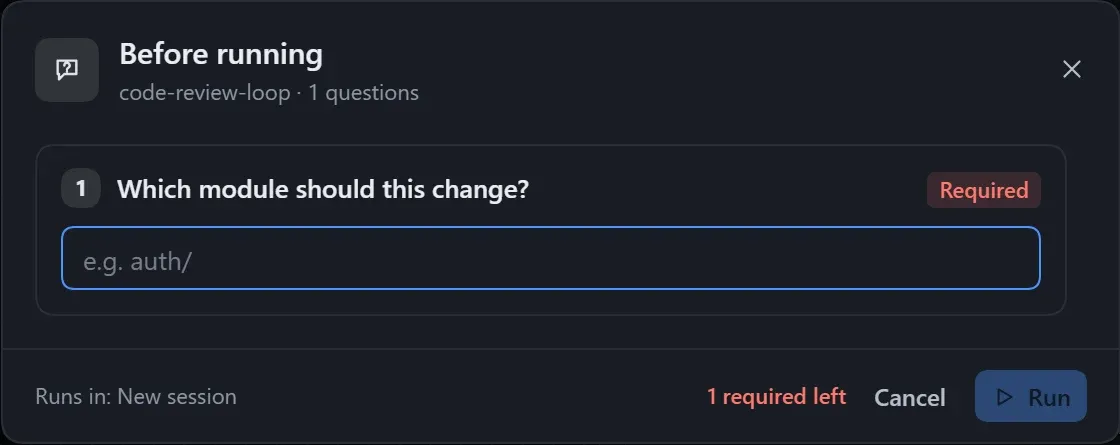
A User input node asks one question before running, to be filled in or chosen, and the answer is written into the plan as given. It suits information that changes every time, such as the module to handle or how strict the review should be.
- Drag User input from Basics in the step library, or right-click an empty spot on the canvas to add one.
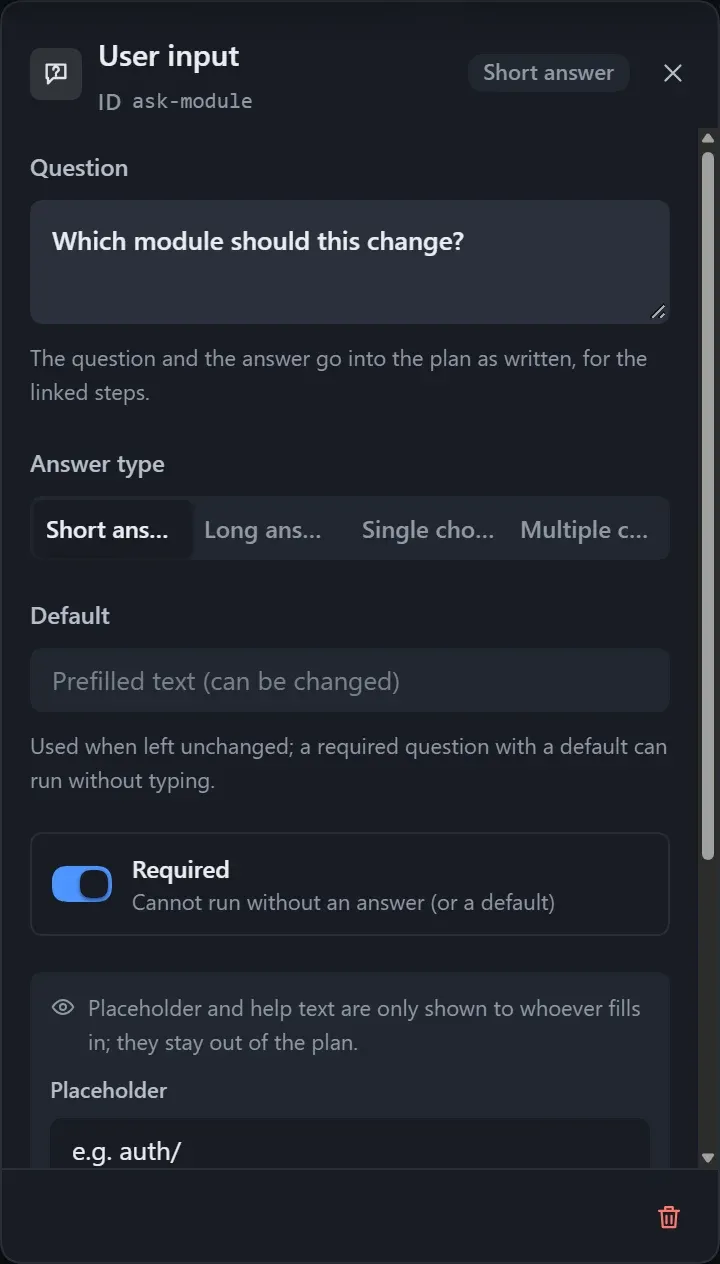
- Write the question in the right panel and choose the answer type.
- Drag a line from the dot on the right of the input card to the steps that need the answer.
- Click Run, fill in the Before running window and click Run, or press Ctrl+Enter.
Settings
Section titled “Settings”| Setting | Description |
|---|---|
| Question | No line breaks; put anything longer in the help text. |
| Answer type | Short answer, long answer, single choice, multiple choice. |
| Options | For single and multiple choice; at most 30. |
| Default | Used when the user changes nothing; a required question with a default can run right away. |
| Placeholder, help text | Shown to the person filling it in only; not written into the plan. |
| Required | When on, running is blocked if there is neither an answer nor a default. |
| Allow a custom answer | For single and multiple choice; adds an “Other” row, and the plan notes “(filled in by the user)”. |
- Only the steps the input card is connected to see the answer; with no lines, every step can see it.
- An instance shows the user’s answers; an unanswered question shows “Not filled in”.