Code and review loop
Implement, review and fix over and over; summarise once the review passes.
Every change goes through an independent review. If it fails, it goes back for rework until it passes.
Implement → Review ──Pass──→ Summarise │ Fail ↓ Fix ──→ back to "Review"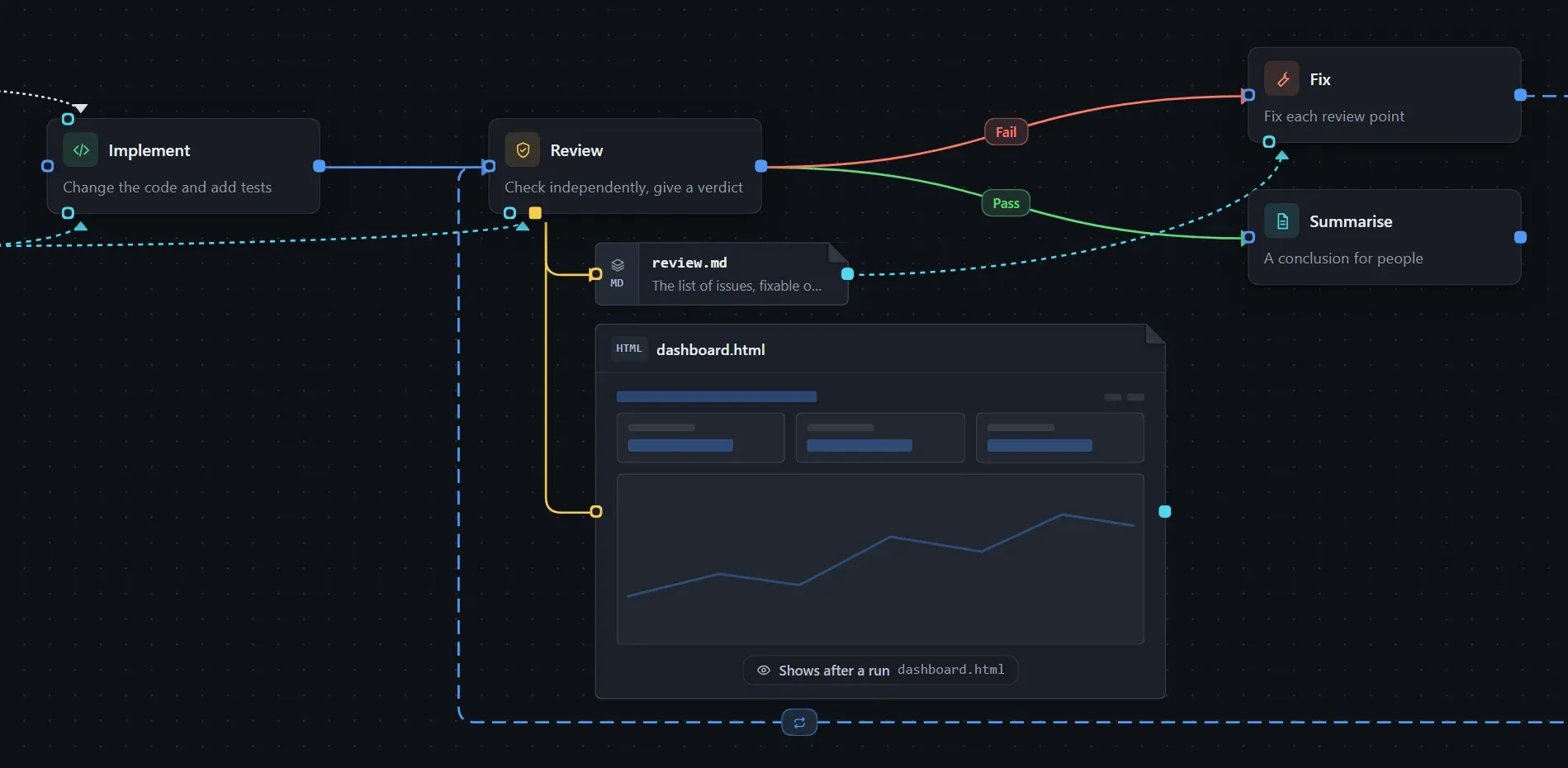
Build it
Section titled “Build it”- From Common steps in the step library, drag out Implement, Review, Fix and Summarise. The built-in Review already asks for a pass or fail verdict.
- In each step’s prompt, write what this task needs: the feature and constraints for Implement, the focus of the review, the format of the summary.
- Connect them:
- Implement → Review, condition Always.
- Review → Fix, condition Fail.
- Fix → Review, which closes the loop.
- Review → Summarise, condition Pass; this is the exit.
For how to draw connections, see Connections and conditions; for the concept, see Loops and rollback.
Optional:
- Keep the review findings: add an output file
review.mdto Review and have Fix read it, so details are not lost when only the key points are handed over each round. - Limit the rounds: change the Review → Fix condition to Custom and write “the review failed and Fix has run fewer than three times”. In the Review prompt, state that after three rounds it should still give a pass verdict and list the remaining issues.
Turn on Record run state and click Run. In the instance you can see which round Review and Fix are on; use One more round and One round less to adjust. After an interruption, work resumes from the recorded position.
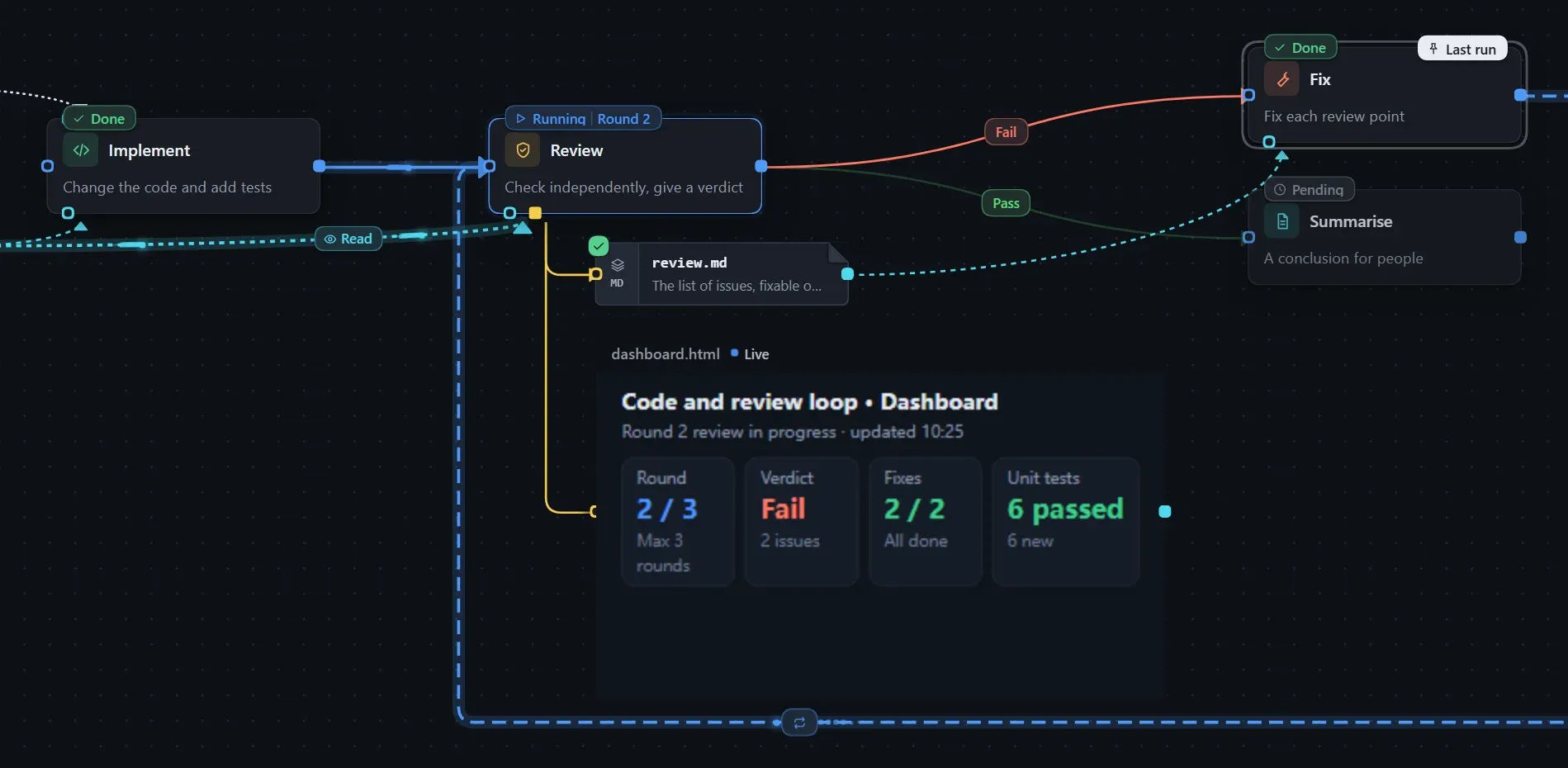
The output of every round can be looked back at; see Reviewing each round’s output.